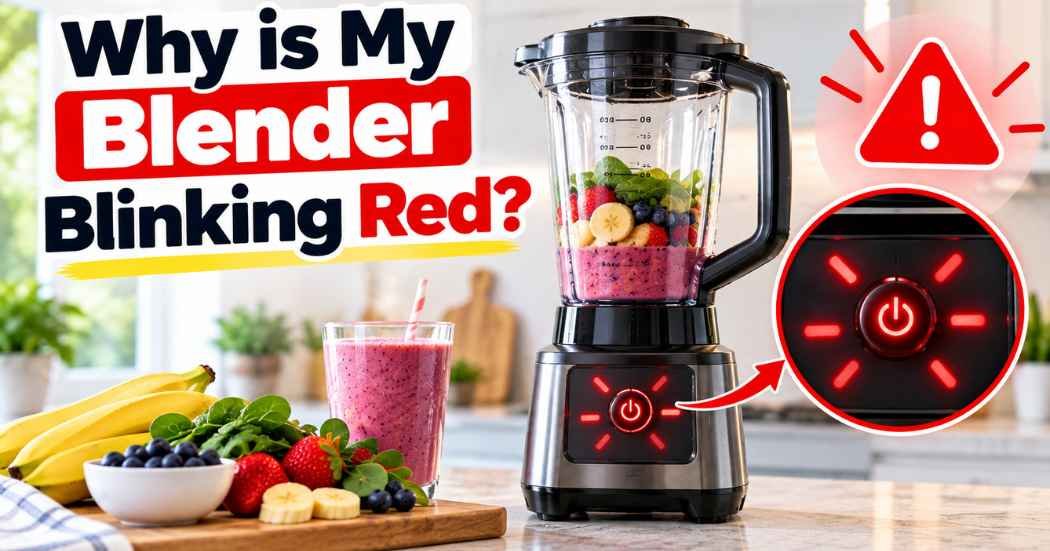
Seeing a red light blink when you try to blend can be frustrating. You press the button, expect a smoothie, and get a flashing light instead.
If you are wondering why is my Ninja blender blinking red, the answer depends on the model and the exact light pattern. On the Ninja Blast MAX, a flashing red power icon means the battery is empty. On some earlier portable models, red lights use different patterns for charging, charger faults, or service issues. Some countertop blenders use a blinking red light to show that the container is not installed correctly. Check the guide for your exact model before trying a fix.
Start with the safe checks below, and check the manual for your exact model before trying anything else.
Quick Answer: Why Is My Ninja Blender Blinking Red?
On Ninja Blast MAX models (BC200 family), a flashing red power icon means the battery is empty and needs charging. On the original Ninja Blast family, a solid red light means charging is needed, while flashing red and blue can signal an abnormal charger. Some red-light patterns require customer service. Always check your exact model’s guide.
- Portable blender: Charge it with the approved cable and power supply specified in its manual.
- Red and another color: Check the manual for that exact light combination. It may indicate a charger error.
- Countertop blender: Check that the pitcher, lid, and blade assembly are correctly fitted, and look up the indicators for your model.
- Unusual heat, smell, sparks, or damage: Stop using it and unplug it if it is safe to do so.
1. The Battery May Be Empty
If you have a cordless portable blender, the most common explanation for a flashing red power icon on certain Ninja Blast models is an empty battery. The blender may refuse to start until it has enough charge.
Turn the unit off. Connect the charging cable and power supply recommended in the owner’s guide. Check that the cable is seated properly and that the outlet works. Let the blender charge for the time stated for your model; charging time can vary between versions.
When charging, watch the indicator. If the light changes to the expected charging pattern, leave it connected until the manual says it is fully charged. Do not use a random high-power charger just because its plug fits.
If the power light keeps flashing red after a full charge, stop repeating the same attempts. Check the model number and its troubleshooting chart, or contact the manufacturer’s support team.
2. Check the Exact Red-Light Pattern
The color alone may not tell the whole story. Some portable models use a combination of colors or lights in specific corners to show an error. A flashing red power icon can mean something different from alternating red and green lights.
Look carefully at what is flashing. Is it only the power button? Are two lights blinking at once? Does the light change when you connect the charger? Write down the pattern before looking up your model’s manual.
For example, Ninja Blast MAX support identifies a flashing red power icon as an empty battery. The original Blast guide uses different signals, including solid red for charging, flashing red and blue for an abnormal charger, and certain red patterns that require customer service. In some countertop models, a blinking red light can indicate that the jar or base is not correctly installed. These differences are why the exact model number matters. Review the official Ninja troubleshooting resources and your model’s owner’s guide.
3. Make Sure a Portable Blender Is Charged Correctly
If your portable blender’s power button is blinking red, check the charging setup before assuming the motor is broken.
- Switch the blender off before inspecting it.
- Use the cable and power supply listed in the model’s owner’s guide.
- Inspect the cable and connector for visible damage. Do not use damaged charging equipment.
- Check that the charging port is clean and dry. Never charge a wet unit.
- Try a known-working outlet if the manual permits it.
- Watch for the normal charging indicator described in the manual.
Do not force the connector into the port or open the motor base. If the light shows an error pattern, or the blender will not charge after these checks, contact support rather than attempting an electrical repair.
4. If It Is a Ninja Professional Blender
A countertop blender and a cordless portable blender are built differently. That means the advice for a Ninja Blast battery light may not apply to a Ninja Professional model.
First, switch the blender off and unplug it before checking the assembly. Make sure the pitcher is seated correctly, the lid is locked as described in the manual, and the contents are not above the maximum fill line. Never put your hands near the blades, even when the blender appears to be off.
Check the buttons and indicator lights against the instructions for your specific model. Some countertop units may refuse to run when the container or lid is not correctly engaged. If the power indicator itself is blinking red, use the model-specific troubleshooting section instead of assuming it is a battery warning.
For more help with normal operation, see our guide on how to work a Ninja blender.
5. Check the Container and Lid Before Blending
If the blender will not start, the container may not be fitted correctly. This check is especially useful when the indicator pattern points to an assembly issue, though the exact signal varies by model.
Turn the unit off and unplug a countertop blender before reseating its pitcher or lid. Follow the marks and locking steps in the manual. For a portable blender, make sure the vessel is fully attached and aligned with the motor base according to its guide.
Do not bypass a safety lock, press down on the lid while the blades run, or try to hold loose parts in place. These safety features help prevent accidental contact with moving blades. If everything appears aligned and the unit still flashes an error, stop and check the official troubleshooting guide.
6. Remove a Heavy or Stuck Load Safely
A thick smoothie, large frozen pieces, or ingredients packed tightly near the blades can stop some portable blenders from running as expected. The light for this issue may be a color other than red, depending on the model.
Turn the unit off first. Follow the manual’s directions for clearing a blockage. If the instructions allow it, remove the vessel from the motor base before opening it, and use a long utensil to move ingredients away from the blades. Never reach into the blade area with your fingers.
For a smoothie that is too thick, add liquid within the recommended fill limits. Add ingredients in the order your manual suggests, and avoid overfilling the cup. Do not use a portable blender for hot or carbonated liquids unless the manufacturer specifically says it is designed for them.
For recipe ideas and blending basics, visit our Ninja blender recipes guide.
7. Let an Overheated Blender Cool Down
If the blender stopped during use after several cycles, the motor may need time to cool. On certain portable models, the manufacturer identifies a moving orange light pattern as an overheating warning rather than a red-light warning.
Switch the blender off and let it rest at room temperature for the period in its manual. Do not place the motor base in a refrigerator, pour water over it, or try to speed up cooling with ice. The manufacturer may also advise that an overheated unit will not charge until it has cooled.
If you notice a burning smell, smoke, a damaged cable, or unusual heat, stop using the blender. Unplug it if safe and seek assistance from the manufacturer. Do not keep restarting it to see whether the warning disappears.
Why Is My Ninja Blender Power Button Blinking Red?
The power button matters because it may show battery status on a cordless model. On Ninja Blast MAX models, a flashing red power icon means the battery is empty and needs charging. On some first-generation Blast models, solid red means the unit needs charging, while flashing red and blue may indicate an abnormal charger. Other red-light patterns can require customer service, and countertop models may use blinking red to signal an assembly issue.
Check the model name and number printed on the base or product label. Then compare the exact blinking pattern with the owner’s guide. If the manual says to contact support for that pattern, follow that advice instead of repeatedly charging or restarting the unit.
Why Is My Ninja Portable Blender Blinking Red?
If you have a Ninja Blast MAX, a flashing red power icon means the battery needs charging. For first-generation Blast models, solid red can mean low battery, while flashing red and blue may point to an abnormal charger. Check the model-specific manual, use the specified charging cable and power supply, and keep the charging port dry.
If the light blinks red and green, red and blue, or another combination, do not treat it as a simple low-battery signal. The correct meaning can differ by model and region. Find the matching manual before continuing. If the blender remains unresponsive after the recommended steps, contact Ninja support.
Why Is My Ninja Professional Blender Blinking Red?
If you have a Ninja Professional countertop blender, do not apply portable-blender battery advice. Countertop models have different controls and safety systems. Confirm the model number, unplug it before checking the jar and lid, and review the troubleshooting section for that unit.
If it keeps flashing even when assembled properly, do not open the motor housing or try to repair the wiring. Contact the manufacturer or an authorized service provider for model-specific help.
Why Is My Portable Ninja Blender Blinking Red?
This is another way people describe the same problem with a cordless blender. The first step is still to identify the exact model and light pattern. On Ninja Blast MAX models, a flashing red power icon means the battery is empty. On some earlier Blast models, other red-light patterns can point to a charger problem or a fault that needs customer support. Check the exact model guide before continuing.
Charge only with the equipment specified for your model. If charging does not solve the issue, stop testing and consult the manual or customer service.
When Should You Contact Customer Support?
Contact the manufacturer if the red light continues after the steps listed for your exact model, if the charger or battery appears damaged, or if the unit shows a pattern the manual says needs service. Stop using the blender at once if you see smoke, sparks, swelling, a burning smell, or signs of liquid damage near electrical parts.
Before contacting support, have the model number ready and note when the light appears: during charging, at startup, or while blending. Mention the exact colors and which lights flash. This helps the support team narrow down the issue.
Why Is My Ninja Blender Blinking Red FAQ
Can I keep using my blender if the red light is blinking?
No. Pause use until you know what the indicator means for your model. If it means low battery, charge as directed. If it signals an error or fault, follow the manual.
Does a blinking red light always mean the battery is dead?
No. Some portable models use flashing red for a depleted battery. Other patterns can point to a charger issue or a service condition. Countertop models may use different signals entirely.
Should I use a different charger?
Use only the charger and power specifications approved in your model’s manual. A plug that fits does not guarantee the charger is suitable.
What if it still blinks red after charging?
Check the model-specific troubleshooting guide and the light pattern again. If the error stays, contact manufacturer support. Do not open the motor base or try electrical repairs.
What does a flashing red power icon mean on a Ninja Blast MAX?
On Ninja Blast MAX models, a flashing red power icon means the battery is empty and needs charging.
Why is my Ninja countertop blender blinking red?
On some countertop models, a blinking red light can mean the pitcher, lid or base is not fitted correctly. Unplug it, reseat the parts and check your manual.
How do I find my Ninja blender’s model number?
Look at the label on the base. Then compare your exact light pattern with the owner’s guide for that model.
When should I contact Ninja support?
Contact support if the light keeps blinking after the steps for your model. Stop use right away if you see smoke, sparks, swelling or a burning smell.
Final Thoughts
If you are asking, “why is my Ninja blender blinking red?”, start by identifying the model and reading the light pattern. For some portable Ninja Blast blenders, a flashing red power icon means the battery needs charging. Other patterns can point to a different issue, and countertop blenders need their own troubleshooting instructions.
Charge safely, check the assembly only with the unit turned off, and do not bypass safety features. If the light stays on or keeps flashing after the recommended steps, manufacturer support is the safest next move.
Note: Indicator meanings can differ by model. Always confirm the instructions in the owner’s guide for your exact blender.